

PageSpeed Insights key
Damdit measures load speed and Core Web Vitals with Google PageSpeed Insights. Without your own API key, Google often refuses the requests and Damdit measures at most 5 pages. With a free key, it measures up to 20 pages per audit, measures borderline pages three times and uses the median, and shows how real visitors’ experience changed over the last six months.
One key is used for every project on this computer. Add it in Settings → Advanced → Add API Key…, or from a project’s Optional Modules.
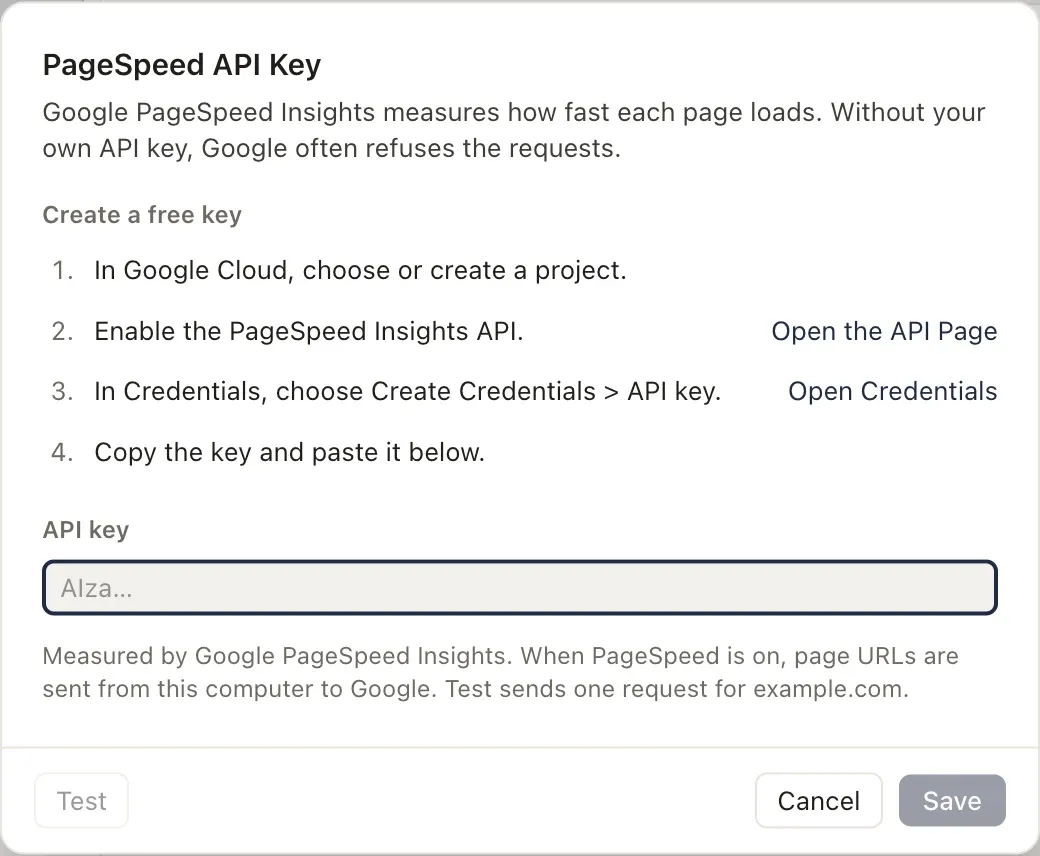
Create a free key
Section titled “Create a free key”- In Google Cloud, choose or create a project.
- Enable the PageSpeed Insights API.
- Enable the Chrome UX Report API too. Damdit uses it for the real-user trend. PageSpeed works without it.
- In Credentials, choose Create Credentials → API key.
- Copy the key and paste it in Damdit. If you restrict the key to certain APIs, allow both.
Test sends one request for example.com to each API and says whether Google accepts the key for PageSpeed Insights and whether the Chrome UX Report API is enabled. Save stores the key in your system’s secure storage.
Turn PageSpeed on for a project
Section titled “Turn PageSpeed on for a project”The key alone doesn’t measure anything: turn on PageSpeed Insights in each project’s Optional Modules. While an audit with PageSpeed runs, the addresses of audited pages are sent from your computer to Google. See what Google receives.
Remove the key
Section titled “Remove the key”Remove Key… in the same dialog. Projects keep their PageSpeed switch and measure at most 5 pages without a key.