

Production, staging and local
A project can have up to three addresses of the same website:
| Address | For | Example |
|---|---|---|
| Production | The live website | https://example.com |
| Staging | A staging or preview version | https://staging.example.com |
| Local | The website running on your computer | http://localhost:3000 |
Add them in Project settings → Website. One of them is the project’s default target: the one scheduled audits and the score in the sidebar use.
Each address keeps its own audits, history and issues. An audit of staging never replaces or compares with the production audit.
Switch between addresses
Section titled “Switch between addresses”When a project has more than one address, the header shows a switch. Choose an address to see its current audit.

Audit another address
Section titled “Audit another address”Run audit asks which address to audit, with the connections each one will use.
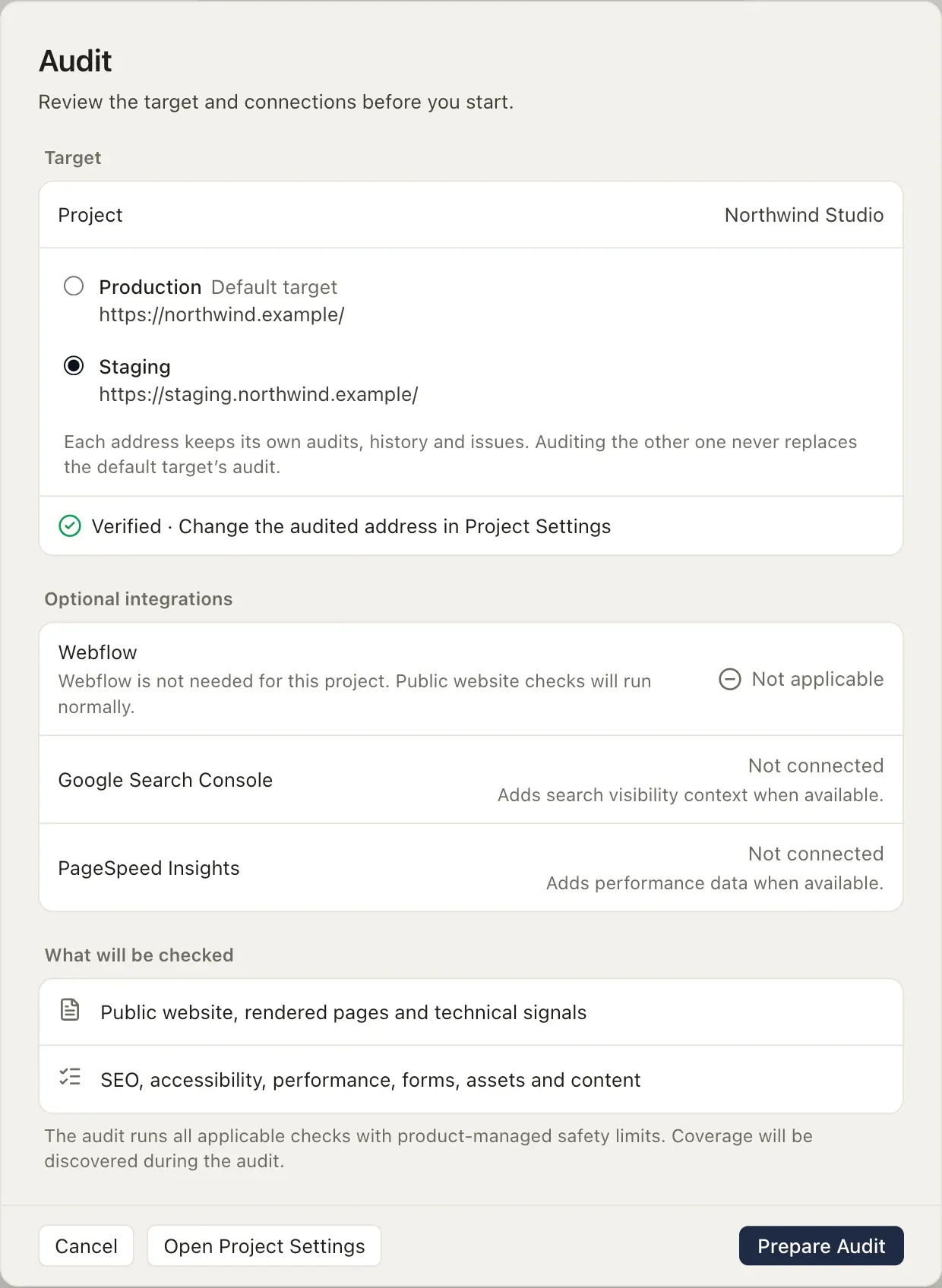
An audit of an address other than the default is a one-off audit: it keeps its own history and never replaces the default target’s audit.
A local address is a website running on your computer: localhost, *.localhost, 127.0.0.1 or [::1], on any port, over http or https. Use it to check a site before you deploy it.
A local audit runs the checks that the page itself decides: accessibility, titles and metadata, headings, links, images, forms and structured data. It leaves out what only the live host can answer: security headers, HTTPS and the domain, robots.txt, the sitemap and PageSpeed. Those checks are marked Not applicable, never passed. It doesn’t use Webflow, Search Console or PageSpeed connections.
A local address needs no approval in the app before AI tools or the command line start its audits. To check a local site once without a project, use damdit check.