

Privacy & Data
Projects, audits, evidence and reports stay on your computer. Damdit has no cloud copy of your audits. Credentials are encrypted by your system’s secure storage.
Connections
Section titled “Connections”What Google and the audited websites receive while Damdit works. Damdit’s own windows load nothing from Google, so Google receives data only through the services below.
Google PageSpeed Insights and CrUX
Section titled “Google PageSpeed Insights and CrUX”Only when PageSpeed Insights is on for a project. Your computer sends Google the addresses of the pages to measure, Google loads those pages from its own servers, and it sees your IP address. With your own API key, the requests also count in your Google Cloud project, and the real-user trend asks the Chrome UX Report about the home page, the domain and pages with speed issues. Damdit receives none of this.
Google Search Console
Section titled “Google Search Console”Only after you connect a Google account in a project’s Project settings. Google then knows that your Google account uses Damdit, and receives the Search Console property and the page addresses Damdit inspects. You can see and remove Damdit’s access in your Google Account under Security → Your connections to third-party apps & services. The account’s e-mail and the sign-in stay in your system’s secure storage on this computer.
Audited websites
Section titled “Audited websites”Damdit opens every page the way a visitor’s browser does, so the page’s own scripts run: for example Google Analytics, Google Tag Manager, web fonts, reCAPTCHA, chat widgets or ad pixels. These services receive your computer’s IP address and the address of the page, and an audit can show up as visits in the website’s analytics. Every audit starts without cookies or stored data, and nothing is kept after it ends.
Damdit doesn’t block these scripts on purpose: they affect speed, accessibility and errors, and the audit should see the page as visitors see it. If an audit mustn’t appear in a website’s analytics, exclude your IP address in the analytics tool.
Anonymous diagnostics
Section titled “Anonymous diagnostics”After each audit, Damdit sends a few anonymous numbers so we can see where checks are too strict, too lenient or slow. It’s on by default. Turn it off in Settings → Privacy & Data, or with Details… on the welcome screen.
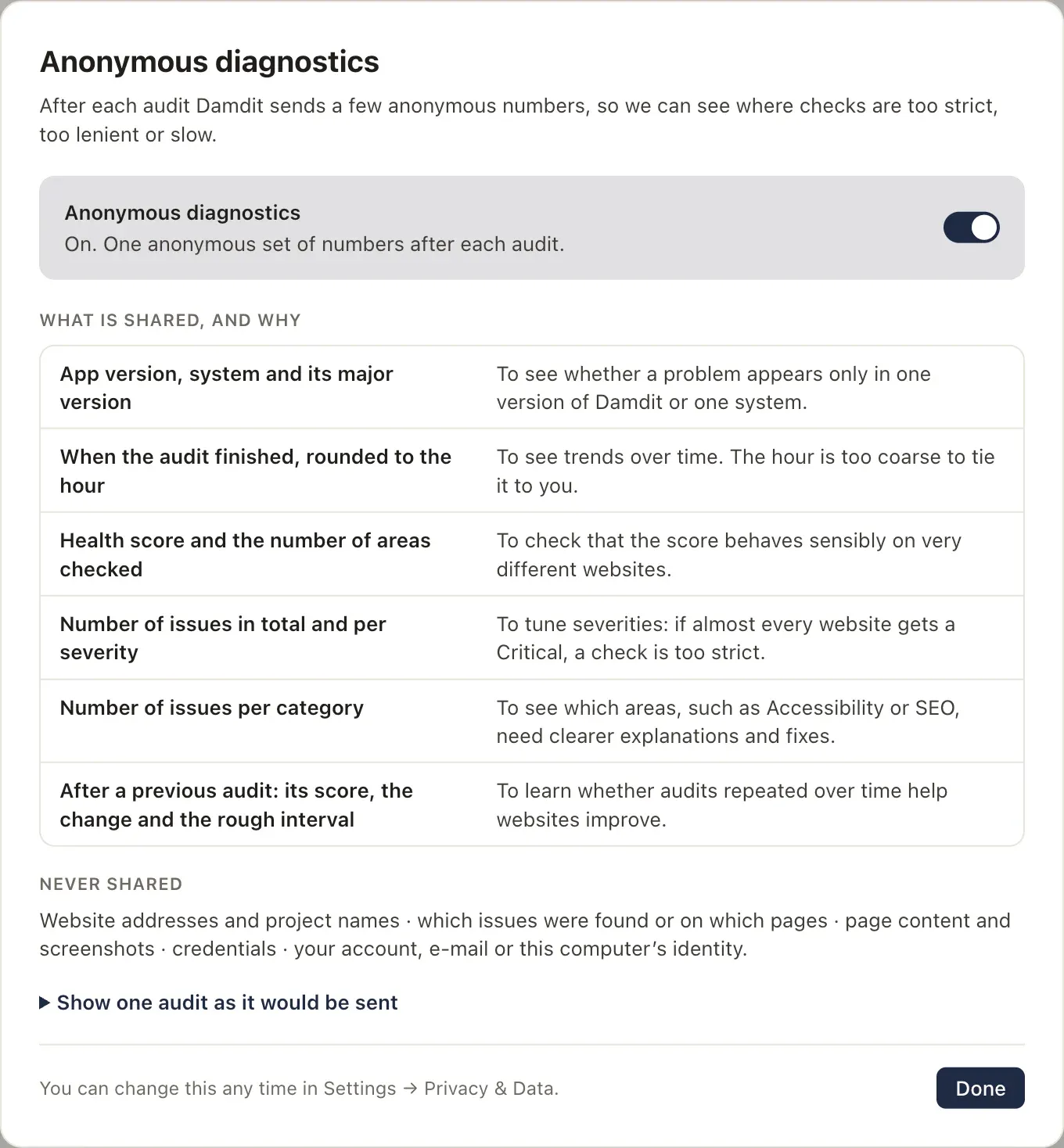
What is shared, and why:
| Shared | Why |
|---|---|
| App version, system and its major version | To see whether a problem appears only in one version or system |
| When the audit finished, rounded to the hour | To see trends; the hour is too coarse to tie it to you |
| Health score and the number of areas checked | To check that the score behaves sensibly on very different websites |
| Number of issues in total and per severity | To tune severities |
| Number of issues per category | To see which areas need clearer explanations and fixes |
| After a previous audit: its score, the change and the rough interval | To learn whether repeated audits help websites improve |
Never shared: website addresses and project names, which issues were found or on which pages, page content and screenshots, credentials, your account, e-mail or your computer’s identity.
Show one audit as it would be sent shows an example.
Saved audits
Section titled “Saved audits”Shows how many audits are saved on this computer, how much space they take and how much space packing saved.
Damdit packs every saved audit losslessly: the report and the evidence of every page are compressed together, so a 500-page audit takes tens of megabytes instead of about a gigabyte. Nothing is removed. Every audit opens with its full history, issues and evidence, and an export contains the same files as before. A new audit is packed right after it is saved; older audits are packed in the background, one at a time, never while an audit runs. An original file is removed only after the packed copy has been read back and compared with it byte for byte.
Export all data
Section titled “Export all data”Export… creates a ZIP archive of your projects, audits and evidence. Credentials are left out. Keep it as a backup or to move your data.
Delete local data
Section titled “Delete local data”Delete… removes projects, reports, audit history, cached data and credentials from this computer. It can’t be undone. It doesn’t cancel your licence, and your app preferences stay.
To delete one project only, use Delete Project… in its Project settings.